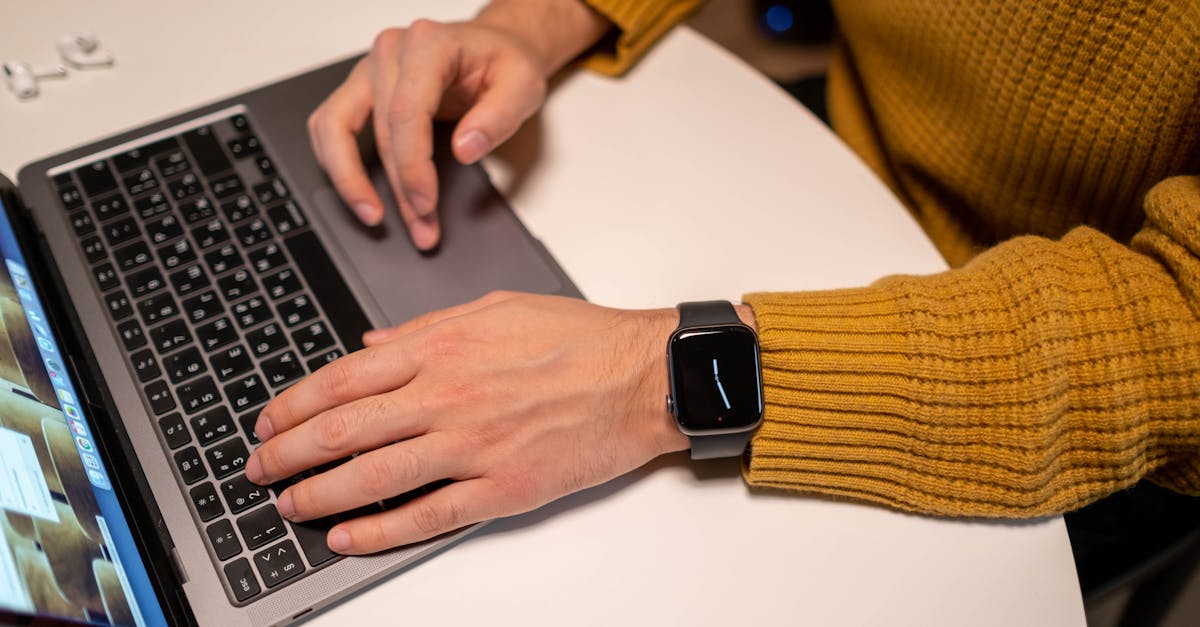
Why Most Beginners Fail at Mastering Their New Smartwatch (And What Actually Works for Real Benefit)
You just unboxed that sleek new smartwatch, probably after weeks of anticipation. The ads promised a new era of personal health, effortless notifications, and peak productivity right from your wrist. You strapped it on, fiddled with a few settings, and for a few days, it was a novelty. You checked your steps, glanced at heart rate, maybe even took a quick call. But then, for most people, the honeymoon ends. The initial excitement fades, and that expensive piece of tech slowly devolves into little more than a fancy digital watch, or worse, gets relegated to a drawer. Why? Because the marketing glosses over the fundamental shift required to actually integrate a smartwatch into your life, rather than letting it become another source of digital noise or a glorified step counter.
In my experience reviewing countless wearables, the biggest mistake people make isn’t about choosing the wrong brand or model. It’s about a complete misunderstanding of how to leverage such a powerful, personal device. It’s not a magic bullet; it’s a tool. And like any tool, its value depends entirely on how skillfully you wield it. I’ve seen countless users get overwhelmed by data, frustrated by endless notifications, or simply never move beyond the most basic features. This article isn’t about what a smartwatch can do, but how to make it work for you, moving beyond the typical pitfalls to unlock its true potential for improving your wellness, boosting productivity, and streamlining your digital life.
Key Takeaways
- Stop treating your smartwatch as a notification hub; configure it to deliver only essential, actionable alerts to avoid digital fatigue.
- Focus on 1-2 core wellness metrics for genuine improvement, rather than getting overwhelmed by all available data points.
- Leverage your smartwatch for ‘micro-interactions’ to reduce phone dependency and maintain focus.
- Schedule regular ‘smartwatch audits’ to prune unused apps and fine-tune settings for optimal, long-term utility.
The Notification Overload Trap: Reclaim Your Focus
The single biggest reason most people fail to master their smartwatch is the notification deluge. Out of the box, most smartwatches are configured to mirror almost every alert from your phone. This creates an immediate problem: instead of reducing phone dependency, your wrist now buzzes with every email, social media like, news alert, and calendar reminder. This constant interruption is not productivity; it’s amplified distraction. It trains your brain to constantly crave external stimuli, fragmenting your attention and adding a layer of subtle anxiety.
What changed everything for me was a radical approach: the ‘whitelist’ notification strategy. Instead of trying to mute individual apps one by one, which is an endless game, I flipped the script. I went into my phone’s companion app (or the smartwatch settings directly) and turned off ALL notifications first. Every single one. Then, and only then, did I consciously add back only the absolute essentials. For me, this meant:
- Critical communication: Calls from specific contacts (family, urgent work contacts), and perhaps a select messaging app used for truly important discussions.
- Time-sensitive alerts: Calendar reminders for meetings or appointments, and a single, critical weather alert app.
- Health and safety: Fall detection, emergency alerts, and a gentle reminder to stand up if I’ve been sedentary for too long (but not activity goals).
Notice what’s missing? Social media, news apps, most emails, game alerts, shopping deals – basically anything that can wait or isn’t truly urgent. The goal is to make your smartwatch a filter, not an echo chamber. When your wrist buzzes, it should signal genuine importance, not just another piece of digital fluff. This vastly reduces your ‘check phone’ impulse, helps you stay present, and transforms your smartwatch from a distraction engine into a truly valuable, minimalist communication device. In my experience, this single change makes the smartwatch feel like an aid, not another taskmaster.
Data Paralysis: Focus on 1-2 Actionable Wellness Metrics
Smartwatches are incredible health and fitness trackers, capable of measuring everything from heart rate and sleep cycles to blood oxygen and ECGs. But this wealth of data often leads to data paralysis. Beginners download every health app, track every metric, and then get overwhelmed by graphs, numbers, and conflicting advice. They see high ‘stress scores’ without understanding what to do, or miss sleep goals and feel defeated. This isn’t motivation; it’s a fast track to abandoning the device entirely.
The mistake I see most often is trying to optimize everything at once. What actually works is choosing one or two specific, actionable wellness metrics to focus on for a defined period (e.g., a month or a quarter). For example:
- If you want more energy: Focus on sleep consistency (going to bed and waking up at roughly the same time) and daily movement (hitting a simple step goal or taking a 30-minute walk). Ignore the ‘sleep stages’ minutiae or calorie burn for a while.
- If you want to reduce stress: Focus on heart rate variability (HRV) trends (if your watch tracks it) and mindfulness minutes (using a built-in breathing exercise or meditation app). Track these two, and actively try to improve them, perhaps by scheduling a 2-minute breathing session every afternoon.
- If you want to improve cardiorespiratory fitness: Focus on weekly exercise minutes and resting heart rate trends. Aim for 150 minutes of moderate activity per week and observe if your resting heart rate slowly declines over months.
By narrowing your focus, you make the data manageable and, crucially, actionable. Instead of drowning in numbers, you have clear goals and can see direct feedback on your efforts. The smartwatch becomes a personal coach, offering insights into your chosen areas of improvement, rather than a relentless auditor of every biological function. This focused approach builds momentum and makes the health features genuinely empowering, leading to sustainable changes rather than fleeting obsessions.
The Missed Opportunity of Micro-Interactions: Reduce Phone Dependency
Many smartwatch users still pull out their phone for almost every interaction, even when their watch could handle it more efficiently. This is a missed opportunity to leverage the smartwatch’s true strength: micro-interactions. These are quick, atomic tasks that, when handled on your wrist, save you from the black hole of your smartphone. Every time you pull out your phone, you risk getting sucked into social media, endless emails, or other distractions. Your smartwatch, when used correctly, acts as a barrier to that.
What changed everything for me was consciously redirecting certain tasks to my wrist. Here are a few examples:
- Quick replies: Instead of grabbing my phone to respond to a non-urgent text, I use the preset replies or voice-to-text on my watch. Takes 5 seconds, no phone distraction.
- Controlling media: Whether it’s Spotify, a podcast, or YouTube Music, I control playback, volume, and skip tracks directly from my watch. This is especially useful during workouts or when driving, keeping my phone safely tucked away.
- Checking calendar: A quick glance at my wrist for my next appointment, rather than unlocking my phone and opening the calendar app.
- Timers and alarms: Setting a kitchen timer, a focus timer (Pomodoro), or a quick reminder alarm is much faster and less intrusive from the watch.
- Smart home controls: Adjusting lights, thermostat, or checking a smart doorbell feed can often be done with a quick tap or voice command on the watch.
These seemingly small shifts accumulate. By routing these frequent, low-friction interactions through your smartwatch, you keep your phone in your pocket or bag, out of sight and out of mind. This not only saves time but dramatically reduces the temptation to endlessly scroll, leading to increased focus and a healthier relationship with your digital devices. It makes the smartwatch a true productivity enabler, freeing you from the tyranny of the always-present smartphone screen.
The ‘Set It and Forget It’ Fallacy: Regular Smartwatch Audits Are Essential
Just like your smartphone, your smartwatch accumulates apps, settings, and data over time. The ‘set it and forget it’ mentality is a common pitfall that turns a useful tool into a source of frustration. Apps you downloaded on a whim might be running in the background, draining battery, or sending unnecessary notifications. Performance might degrade, or features you initially loved become irrelevant. Without regular maintenance, your smartwatch becomes cluttered and less effective.
What actually works is scheduling quarterly ‘smartwatch audits.’ Treat it like a digital spring cleaning. Set a recurring reminder in your calendar for 30-60 minutes every three months. During this audit, you should:
- Review and uninstall apps: Go through every app on your watch. If you haven’t used it in the last month, or if it doesn’t serve one of your chosen core benefits (communication, wellness focus, micro-interaction), uninstall it. Fewer apps mean better performance and less mental clutter.
- Revisit notification settings: Are there any new apps sending alerts you don’t need? Or have your priorities shifted, requiring new critical notifications to be added (still using the whitelist approach)?
- Check battery life and performance: If your battery life has significantly degraded, look at recently installed apps or watch faces. Some can be notorious power hogs. Consider a full restart of the watch, or if issues persist, a factory reset (after backing up, if possible) to clear out any lingering software glitches.
- Explore new features (selectively): Smartwatch platforms constantly evolve. Take a few minutes to see if any new core features have been added that align with your chosen focus areas. Resist the urge to enable everything; adopt new features only if they genuinely add value to your current goals.
- Clean the device physically: A quick wipe-down and cleaning of sensors ensures accurate readings.
This proactive approach ensures your smartwatch remains a lean, focused, and effective tool. It prevents feature creep and ensures that the device continues to serve your evolving needs, rather than becoming a forgotten gadget. It’s the difference between a tool that slowly degrades in utility and one that continually adapts and provides value over its lifespan.
Frequently Asked Questions
Q1: My smartwatch battery life is terrible. What’s the first thing I should check?
A1: The most common culprits for poor battery life are excessive notifications and data-intensive watch faces. First, implement the ‘whitelist’ notification strategy: turn off all notifications and only enable the absolute essentials. Second, switch to a simpler watch face. Highly animated or data-rich watch faces that constantly update information can significantly drain your battery. Also, ensure background app refresh for non-essential apps is limited.
Q2: How can I stop my smartwatch from being just another source of distraction?
A2: The key is intentional configuration. Beyond the ‘whitelist’ notification strategy, consider setting ‘Do Not Disturb’ or ‘Focus’ modes on your watch, mirroring your phone’s settings, especially during work or family time. Also, actively redirect simple tasks (like checking the weather, setting a timer, or controlling music) to your watch to reduce the need to pull out your phone, which often leads to endless scrolling.
Q3: I’m overwhelmed by all the health data my smartwatch provides. Where should I start?
A3: Don’t try to track or optimize everything at once. Pick 1-2 core wellness metrics that align with your current health goals. For example, focus on improving sleep consistency or increasing your daily active minutes. Once you’ve made progress in those areas, you can gradually introduce another metric. This focused approach makes the data actionable and prevents data paralysis.
Q4: Are expensive smartwatches really worth it compared to budget options?
A4: For most beginners, a mid-range smartwatch offers plenty of functionality for core wellness tracking, notifications, and micro-interactions. More expensive models often provide niche features (like advanced ECG, cellular connectivity, or premium materials) that many users don’t fully utilize. Focus on getting a watch that reliably covers your chosen 1-2 wellness metrics and has good app support, rather than chasing the most features.
Q5: How often should I update my smartwatch’s software?
A5: It’s generally a good idea to update your smartwatch software regularly. Updates often include bug fixes, performance improvements, and new features, which can enhance your watch’s functionality and security. However, always ensure your watch is sufficiently charged before starting an update, and preferably connected to Wi-Fi to avoid data charges.
Conclusion
Your smartwatch has the potential to be a powerful ally in navigating your digital life, enhancing your wellness, and boosting your productivity. But it won’t do it on its own. It demands intentionality, discipline, and a willingness to move beyond the default settings and marketing promises. By taming notifications, focusing on actionable wellness goals, embracing micro-interactions, and performing regular audits, you can transform that expensive gadget from a forgotten piece of tech into an indispensable extension of yourself. Stop letting your smartwatch control you, and start making it work for you. The next step is simple: take 15 minutes right now to go into your smartwatch companion app and implement the ‘whitelist’ notification strategy. You’ll be amazed at the difference it makes.
Written by Liam O'Connell
Product reviews and consumer electronics
A former product manager, Liam brings a critical eye to new tech, always questioning practicality over hype.
You Might Also Like

10 Morning Habits That Will Transform Your Day
Small changes to your morning routine can have a profound impact on your productivity, mood, and overall wellbeing. Here are 10 habits worth adopting.

How to Sleep Better Tonight: A Complete Guide
Poor sleep affects every aspect of your life. Here's what the science says about getting the rest you actually need.
Building Healthy Habits That Actually Stick
Most people know what they should be doing — the hard part is doing it consistently. Here's the science behind habit formation and how to use it.